Transparent screens and touch screens on exhibition stands solve different problems: transparent screens draw attention from a distance while keeping products visible behind them, while touch screens hold attention up close by giving visitors something active to do.
Confusing the two, or picking one because it looks impressive rather than because it fits the moment, can be an expensive mistake when specifying screen technology for a stand.
What’s the difference between transparent screens vs touch screens on exhibition stands?
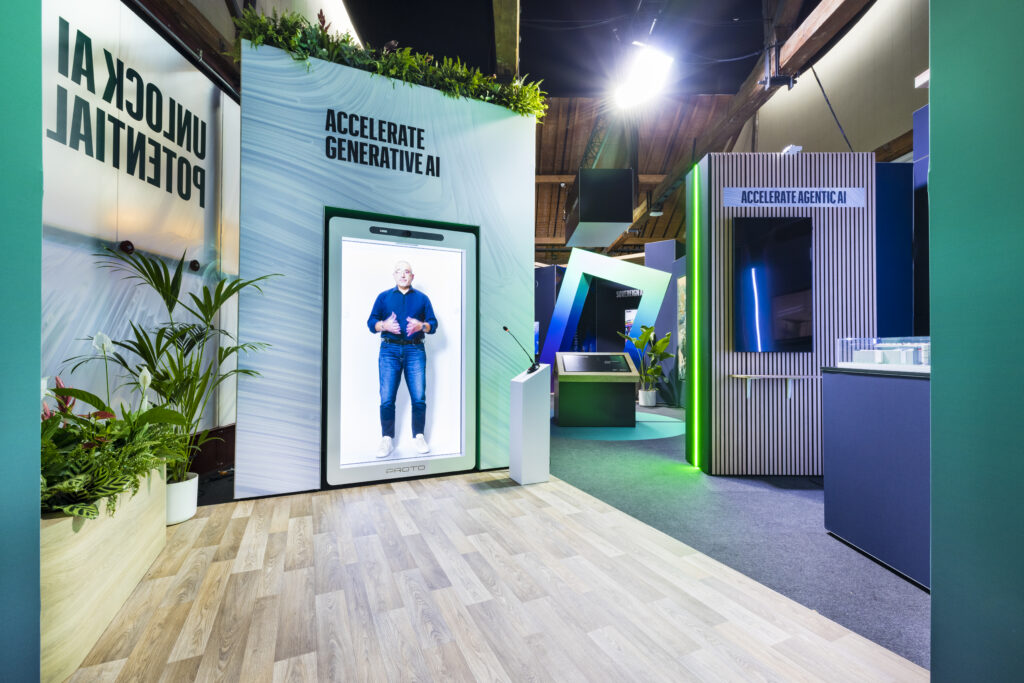
Here’s how each works, where they fit on a stand, and when it makes sense to use both together.
What a Transparent Screen Does
A transparent (or see-through) display is a screen that shows digital content while remaining visible-through, so whatever is physically behind it, a product, a demonstration area, a brand feature wall, stays part of what the visitor sees. Rather than replacing the physical object with a video, it layers information over it.
On an exhibition stand, this typically means:
- Overlaying product specs, animations, or branding directly over a physical product on display, without hiding it
- Acting as a glass partition between a reception or meeting area and the open floor, showing content while preserving sightlines through the stand
- Creating a striking visual from the aisle that still remains “open,” rather than a solid wall of screen
Transparent screens are primarily a visual, distance tool. Visitors don’t need to interact with them for them to work, their job is to draw the eye and communicate at a glance.
What a Touch Screen Does
A touch screen is built for direct interaction, visitors tap, swipe, or navigate to get information themselves, rather than watching content play passively. On a stand, this shifts the visitor from a spectator to a participant, which tends to hold attention longer than a looping video.
On an exhibition stand, this typically means:
- Product configurators or catalogues visitors can browse at their own pace
- Interactive floor plans or facility walkthroughs for stands promoting a physical location or service
- Lead capture or contact forms integrated directly into the experience
- Presentation and data screens for meeting areas, letting a team pull up specific content on demand rather than sitting through a fixed slide deck
Touch screens are a close-range, active tool. They work best once a visitor has already stopped, they’re not built to draw people in from across the aisle the way a transparent or LED screen is.
Transparent Screens vs Touch Screens on Exhibition Stands: A Quick Comparison
| Transparent Screen | Touch Screen | |
| Primary role | Draws attention from a distance | Holds attention up close |
| Visitor engagement | Passive — works without interaction | Active — requires the visitor to engage |
| Best placement | Aisle-facing, over product displays, as partitions | Inside the stand, at eye level, near seating or demo areas |
| Language/text load | Best kept visual and low-text | Handles multi-language menus and detailed content well |
| Typical use case | First impression, brand impact | Product exploration, lead capture, presentations |
Using Both Together on the Same Stand
Many stand designs use the two in sequence rather than choosing one: a transparent screen or feature wall draws visitors in from the aisle, and a touch screen further inside the stand gives them something to do once they’ve stopped. The transparent element earns the stop; the touch element earns the dwell time.
Design Considerations Specific to Exhibition Stands
Lighting and contrast Transparent screens need enough ambient light control and contrast to stay legible, a screen that looks sharp in a supplier showroom can wash out under bright exhibition hall lighting or direct light near a glass-roofed hall. This needs checking against the venue.
Placement and sightlines A transparent screen placed badly can block exactly the sightline it’s meant to enhance. Position matters as much as the technology itself, it should frame the product or space behind it, not compete with it.
Ergonomics and access Touch screens need to sit at a height and angle that works for a standing audience of mixed heights, and ideally shouldn’t be the only way to access key information, some visitors will always prefer to ask a staff member.
Multi-language and international audiences Exhibitions regularly draw visitors from many countries. Touch screens handle this well with language-switching menus; transparent screens communicate better through visuals and motion than text, since they’re harder to make readable across multiple languages at once.
Integration into the stand build Both technologies need to be planned into the stand structure from the start; power routing, mounting, and cable management are far easier to resolve at the design stage than retrofitted once the stand is built.
Frequently Asked Questions
Are transparent screens more expensive than standard LED or touch screens? Generally yes, transparent display technology is a newer, more specialised category, and costs more per square metre than a standard LED panel or touch screen of similar size.
Can a transparent screen also be interactive? Some transparent touch displays exist, combining both functions, but they’re a more specialised (and costly) option. Most exhibition stands achieve the same effect more cost-effectively by pairing a separate transparent screen with a nearby touch screen.
What’s better for lead capture, transparent screens or touch screens? Touch screens. Lead capture requires active input from the visitor, which is what touch screens are built for, transparent screens are a visual tool, not an interactive one, and aren’t suited to this purpose.
Tecna integrates transparent displays, touch screens, and other interactive technology into exhibition stand design from the earliest planning stage. Get in touch to talk through your next stand.